 KDPika Licensing
Sign inStart free
KDPika Licensing
Sign inStart freeThis page demonstrates the documentation interface, not a licensing integration or a complete API reference.
What you will learn
- Recognize the five callout types and readable component styles.
- Test language tabs, copy buttons, line highlighting and wrapping.
- Use accessible tables, diagrams, steps and disclosure controls.
Prerequisites
- Read Using the documentation.
- Python 3.9 or Node.js 18 is needed only to run the small presentation examples below.
Callouts
Language tabs and runnable presentation examples
These complete programs print a documentation label. They do not activate a license, contact the API or demonstrate authorization. The files shown here are the files executed by the documentation checks.
Python
"""Purpose: documentation component demo. Requires Python 3.9+, no dependencies.
Run: python3 docs-content/samples/presentation/python.py
Expected output: KDPika Licensing documentation
"""
print("KDPika Licensing documentation")
JavaScript
// Purpose: documentation component demo. Requires Node.js 18+, no dependencies.
// Run: node docs-content/samples/presentation/javascript.js
// Expected output: KDPika Licensing documentation
console.log("KDPika Licensing documentation");
Run python3 docs-content/samples/presentation/python.py or node docs-content/samples/presentation/javascript.js from the repository root. Expected output: KDPika Licensing documentation.
Highlighted code and wrapping
# Purpose: demonstrate a readable code block; requirement: POSIX shell.
printf '%s\n' 'KDPika Licensing documentation'
Run the two lines in a POSIX shell. Expected output: KDPika Licensing documentation. The highlighted line remains unchanged when copied.
Numbered steps
- Choose a programming-language tab. Its panel becomes active.
- Select Copy. A confirmation announces clipboard success or gives a manual-copy fallback.
- Select Wrap. Long lines wrap without changing the program.
Badges and endpoint header
Official SDK REST client licenses:read GETThese are presentation badges, not a claim that a new SDK or endpoint exists.
/api/v1/public-keyPublic verification key endpoint, shown only to demonstrate the header component.
The route exists in API v1. This component demonstration is not its complete endpoint guide.
Field table
| Field | Type | Required | Explanation |
|---|---|---|---|
| title | string | Yes | Documentation-page title |
| draft | boolean | Yes | Hidden pages are excluded from public output |
| related | array | Yes | Links to published related pages |
This is the documentation metadata format, not a licensing request schema.
Accessible diagram
FAQ accordion
Can I read a page without JavaScript?
Yes. Page text, code, tables, links and disclosure content are rendered by the server. Interactive search and copy buttons enhance this readable baseline.
Do the example programs send credentials?
No. These presentation programs only print a label.
Card grid
Expected result
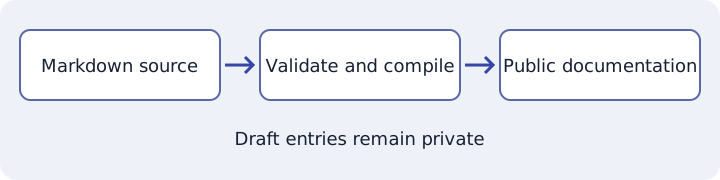
You can operate controls with Tab, Enter and Space. Tab lists also support arrow keys, Home and End. Every diagram has a text alternative and every table has a labelled scroll region.
Common mistakes
- Treating a component demonstration as a licensing sample: it has no activation or authorization logic.
- Assuming a visual badge proves conformance: review the maintained SDK's actual limitations and tests.
Security notes
Raw author HTML is escaped. Samples are included only from the approved samples directory. Diagrams are validated SVG assets, not runtime scripts. No credential is required to try these controls.
Troubleshooting
| Symptom | Cause | Action |
|---|---|---|
| Both language panels are visible | JavaScript is disabled | Read either complete panel; this is the no-JavaScript fallback |
| Diagram cannot load | Asset request failed | Read its adjacent text alternative and reload online |
Next steps
Return to Using the documentation for search and export controls.